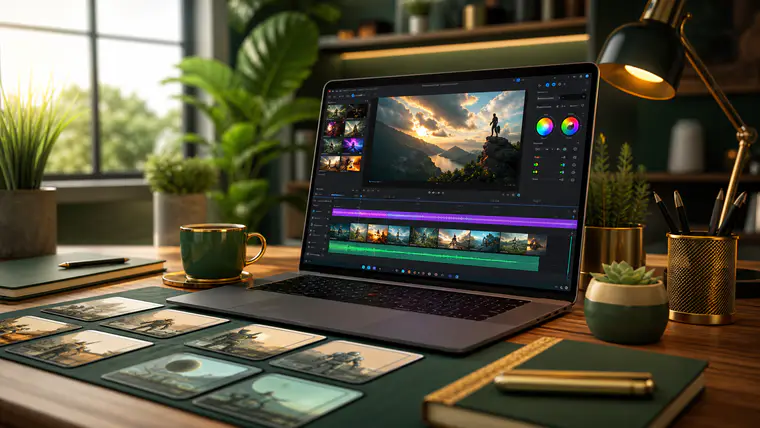
Why I Committed to 30 Days of AI Video
I love making video, but I don’t love the time sink. Scripting, recording, trimming, captions, b‑roll, thumbnails, exports, re-exports after I spot a typo—repeat. For one full month, I replaced as many steps as possible with an AI video tool. I wanted honest answers: How much time does it really save? What quality can I ship without embarrassing myself? Where does it still fall flat?
To keep this fair, I used a mainstream AI video editor that bundles script drafting, text‑to‑speech, captioning, stock assets, basic motion graphics, and one‑click resizing for social formats. I’m not sponsored, and I’m summarizing what most current tools can do rather than naming one brand.
My baseline: I’m a competent editor in traditional NLEs, but by no means a VFX wizard. Before this test, a polished 60–90 second social clip took me roughly 3–5 hours end‑to‑end. Here’s what happened when I went all‑in on AI for 30 days.
Week 1: Onboarding, Prompts, and the First Wins
Learning the interface
The first two days were about unlearning muscle memory. Instead of a timeline-first mindset, the tool pushed me toward a script-first flow: outline your idea, let AI draft beats, auto-generate a rough cut with stock b‑roll and captions, then refine.
Surprise win: auto-captions were near perfect and timed well out of the box. That alone shaved off 20–30 minutes per video.
Surprise struggle: text-to-speech (TTS) voices sounded good in short sentences but robotic in longer paragraphs. I got better results by:
- Writing shorter lines (one sentence per caption block)
- Adding punctuation to imply pacing (ellipses, em dashes)
- Choosing a voice with a slight “breathiness,” then lowering speed to ~0.95x
First output vs. human-made
I recreated a 60‑second explainer I’d previously edited by hand. The AI version took 1 hour from idea to upload-ready. My original hand edit took ~4 hours. Quality? The AI cut lacked some expressive timing and bespoke b‑roll, but it was 80% there. For a quick tip post, that’s already a win.
Week 2: Speed vs. Quality, and a Repeatable Workflow
Building a template
I built a brand kit (colors, fonts, logo sting), a lower-third style, and default caption rules. With a template, I could start a new project and have:
- Hook card (3 seconds)
- Talking point chapters
- Auto captions at 92% size with background stroke
- End card with CTA
Result: New videos started feeling consistent without manual styling each time.
Script prompting that worked
I kept running into generic scripts when I asked for “a video about productivity tips.” Better prompt: “Write a 110‑word script for a 60‑second vertical video aimed at busy freelancers. Tone: practical, friendly. Include a 3‑second hook that challenges a common myth about productivity. Include two punchy examples with numbers and a one-line CTA.”
A small trick: I would paste a short paragraph of my own writing to “teach” tone, then ask AI to match it. Consistency improved noticeably.
Quality control checklist
The fastest path wasn’t always the best path. My mid‑month checklist kept me honest:
- Does the hook trigger curiosity in the first 3 seconds?
- Are there cuts/visuals every 2–4 seconds for pacing?
- Are captions readable on mobile (contrast, size, line breaks)?
- Does b‑roll literally show what I’m saying (no random sunsets)?
- Is the CTA crystal clear and native to the platform?
With that checklist, I averaged 90 minutes per video while keeping quality reasonable.
Week 3: Scaling Output and Repurposing Content
Batch production
I scheduled a “batch day” where I fed three blog posts into the tool and asked for four short ideas each, then chose the best six to produce. I set aside 45 minutes for script refinement, 30 minutes for visuals, and the rest for QC and exports. Six shorts in half a day would have been unthinkable for me before.
Multiformat without the headache
The resize button into 9:16 (Shorts/Reels), 1:1 (feeds), and 16:9 (YouTube/Twitter) worked well, but I learned to design scenes with center-safe framing to avoid cut-off text. I also reduced on-screen text density for vertical formats—people scroll fast and often watch on mute.
Collaboration
I invited a VA to prep b‑roll selections. AI suggested clips, my VA approved/swap, then I did final QC. This division of labor eliminated my decision fatigue. You don’t need a big team to feel leverage; a few hours of help per week made a difference.
Week 4: Pushing Limits and Measuring Results
Advanced tools I actually used
- AI background cleanup on a noisy webcam recording
- Voice leveling to keep loudness consistent across scenes
- Auto cut detection for repurposing a long Zoom talk into 6 highlight clips
- Script-aware edits: change a sentence in text and the video re-edits accordingly
Cool demo features I didn’t keep: full avatar presenters and heavy AI-generated imagery. They were novel but didn’t fit my brand or audience.
Analytics and tweaks
I compared my AI-assisted clips to my earlier hand edits. Findings:
- Output: 12 publishable videos vs. 4 in a typical month
- Average production time: ~1.5 hours per short (down from 3–5)
- Watch time: similar on average; best performers had strong hooks regardless of AI use
- Comments: viewers noticed cleaner captions and faster pacing, not that AI helped
Quality moved up when I focused on storytelling and specificity rather than chasing the fanciest AI features.
What Surprised Me (The Good and the Gaps)
The good
- Speed compounds when you create a style template once
- Script-first editing reduced my “blank timeline” anxiety
- Auto-captions and resize are worth the subscription alone if you publish often
- Text-based editing (editing the transcript) made rough cuts painless
The gaps
- TTS is decent, but a human read still lands better for emotional content
- Stock b‑roll can look generic if you don’t curate; it’s a floor, not a ceiling
- AI suggestions can be confidently wrong; you must review facts, names, and on-screen text
- “One-click” doesn’t exist for taste—your judgment is still the secret sauce
A Practical 5‑Step Workflow You Can Steal
- Hook and outline
- Draft a one-sentence hook that breaks a myth or promises a result
- Outline 3 beats max; trim anything that doesn’t support the promise
- Script with constraints
- Aim for ~110–140 words for a 60–75 second short
- Short sentences; clear verbs; remove filler words
- Visual plan
- For each sentence, note: “A-roll” (face/voice), “B-roll,” or “Graphic”
- Keep on-screen text to 7–10 words per card
- Build in the AI tool
- Paste script, select brand template, generate captions
- Approve/replace b‑roll, add one movement (push/slide) every 2–3 seconds
- QC and export
- Watch on your phone; adjust captions and safe areas
- Export 9:16 first; then resize to 1:1 and 16:9; swap b‑roll if it crops poorly
Prompt Recipes That Consistently Worked
- Hook brainstorming: “List 10 contrarian hooks for a 60‑second video that challenges [common belief] for [audience], each under 12 words.”
- Script polish: “Rewrite this 120‑word script to be 15% shorter, more concrete, and friendlier. Keep my voice. Mark any claims that need a source with [VERIFY].”
- B‑roll hints: “For each sentence, propose 1 concrete, non-generic b‑roll idea that literally shows the action.”
- Caption styling: “Suggest line breaks for captions to maximize readability on mobile. Keep under two lines per card.”
Avoid These Common Mistakes (I Made Them So You Don’t Have To)
- Relying on default stock for everything; it reads as generic
- Centering captions too low; they clash with platform UI
- Letting AI write vague tips; swap for specific, verifiable examples
- Overusing bold animations and whooshes; it screams template
- Publishing without a mobile preview; tiny errors are huge on a phone screen
Who Benefits Most From AI Video Right Now
- Solo creators who need consistent volume without hiring an editor
- Coaches and course creators repurposing webinars into short lessons
- Agencies producing variations of the same message for multiple clients
- Small businesses making product explainers, FAQs, and testimonials
If you release one highly cinematic film a quarter, AI will help with captions and cleanup, but you’ll still prefer manual control. If you publish short, frequent, educational clips, AI is a force multiplier.
ROI: What It Cost and What I Gained
My subscription was in the price range of a mid-tier SaaS. In exchange, I saved ~1.5–3.5 hours per video, stabilized my style with templates, and shipped triple the volume. The real ROI came from batching and from doing “editorial thinking” upfront—AI thrives on clarity.
Ethical and Legal Notes You Shouldn’t Skip
- Rights: Check license terms for stock assets and AI-generated media, especially for ads
- Privacy: If you upload client footage, confirm permissions and storage policies
- Disclosure: If you use TTS or avatars to represent a real person, be transparent
- Accuracy: Treat AI-written facts as drafts—verify names, numbers, and claims
Mini Challenge: A 15‑Minute First Win
- Pick a 3‑tweet thread or short blog post you already wrote
- Paste it into your AI tool, ask for a 110‑word script with a contrarian hook
- Generate captions and b‑roll suggestions; replace at least two generic clips with specific ones (e.g., “typing on a calculator” instead of “people in an office”)
- Export in 9:16, watch on mobile, and publish
Your goal isn’t perfect—it’s “publish something watchable today.” Momentum beats perfection.
My Bottom Line After 30 Days
AI didn’t replace my taste. It replaced drudgery: captions, basic cuts, resizing, and first drafts. With a solid template and better prompts, my average production time halved without hurting performance. When I tried to make AI do everything—including voiceover and fancy visuals—the output became generic. When I paired AI with my voice, specificity, and QC, I shipped more and kept my brand intact.
If you’ve been stalling on video because of time, try a month with an AI tool. Start small, template early, and keep the human parts human.
Quick Tips You Can Use Today
- Write your hook last; it’s easier after you know the punchline
- Keep one idea per video; anything more dilutes retention
- Use contrast-safe caption colors; preview on dark and light footage
- Record a quick human VO for your most emotional lines; mix TTS for the rest
- Save a checklist and reuse it; the best automation is a good habit
Frequently Asked Questions
Will AI video tools replace human editors?
Not for high-stakes creative work. They’re great at drafts, cleanup, and speed, but taste, storytelling, and brand nuance still come from people.
Do I need a powerful computer to use AI video?
Many tools run in the cloud, so modest laptops are fine. For local apps, a recent CPU and plenty of RAM help, but cloud rendering offloads most heavy lifting.
How do I avoid that “template” look?
Use your own b‑roll when possible, customize fonts/colors, limit flashy transitions, and be specific in scripts. Swap at least 20–30% of auto-chosen visuals.
Is text-to-speech good enough for client work?
For tutorials and internal docs, often yes. For ads or emotional storytelling, a human voice usually performs better. Consider mixing both strategically.
Approved member comments will appear here.